1 / 8
or click to navigate
Adobe Summit 2026 FullStory × Adobe CJA Deep Analysis

From Reactive Reporting
to Actioned Insight

How FullStory turns Adobe CJA's "what happened" into "why it happened" — and closes the loop with actionable signals that flow back into your analytics stack.

Adobe CJA FullStory Session Replay Ask StoryAI StoryAI Opportunities Data Layer
The Concept

Hypotheses. Exploration. Investigation. Signal.

CJA tells you where users drop off. FullStory shows you why. Ask StoryAI quantifies the impact. And the signal flows back to CJA to close the loop — turning a funnel chart into a fix.

📊
CJA Funnel
Spot the drop-off
🔍
FullStory
Watch the session
🧠
Ask StoryAI
Analyze at scale
🎯
Actioned Signal
Push data back to CJA
Step 1 — The Funnel

Jeff logs into CJA and notices a significant drop-off after step 3.

The funnel looks healthy through search and vehicle detail — but something happens between "Add to Cart" and "Checkout." A 62% drop-off that the funnel alone can't explain.
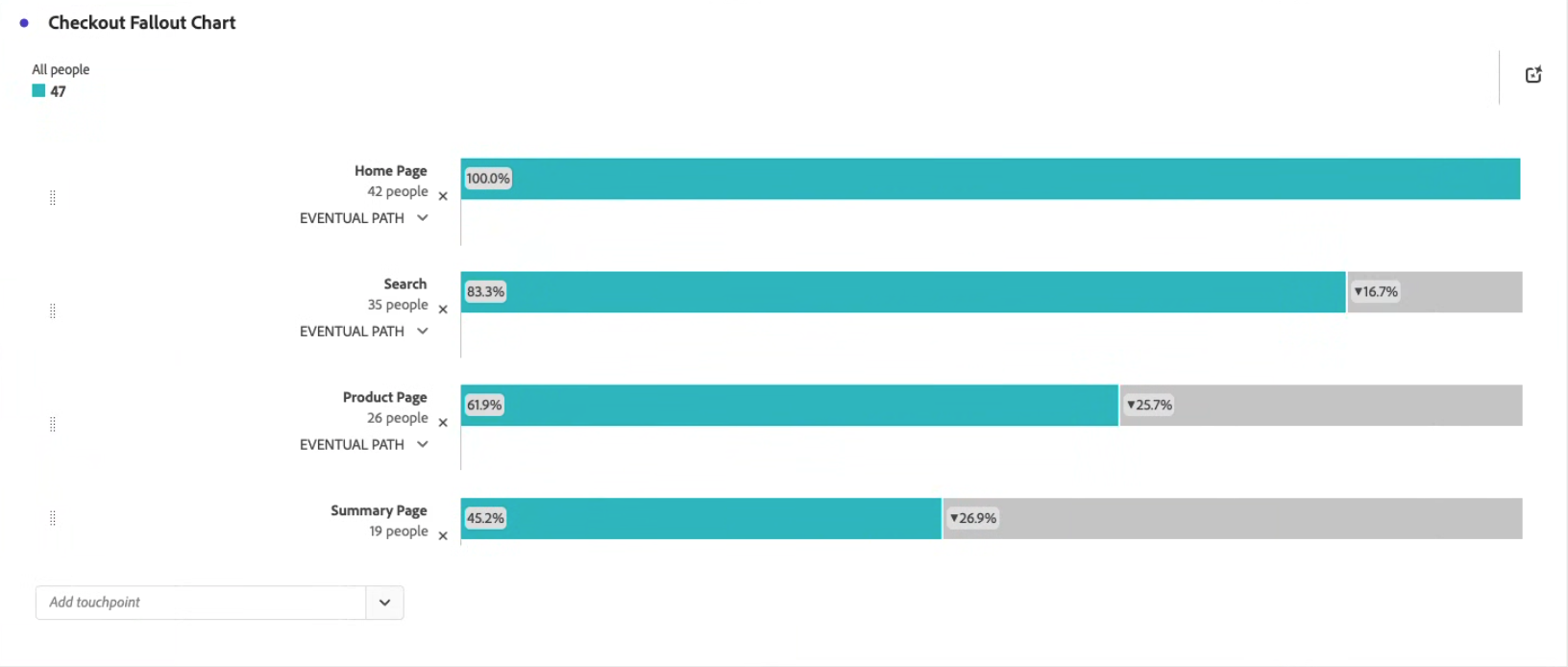
62% drop-off. CJA shows the what — but Jeff needs the why. He scrolls down to the session-level data and clicks a FullStory session URL to step into the user's experience.
▶ Open Live CJA Funnel Report
📊
CJA Funnel Report Screenshot
assets/cja-funnel-report.png

Adobe CJA — Primary conversion funnel with drop-off after step 3

Homepage
100%
12,847
Search Results
78%
10,021
Vehicle Detail
54%
6,937
▼ 62% drop-off — why?
Checkout
20%
2,636
Confirmation
16%
2,055
Step 2 — The Session

Jeff clicks a FullStory session URL and steps into the user's experience.

From the CJA table, Jeff clicks directly into a FullStory session for Sophia Lewis. He immediately sees the AI-generated session summary — full context before watching a single frame of replay.

The summary tells the story: Sophia searched Savannah, Georgia — hit a 404 network error and a "No Cars Found" modal. Clicked OK, went back to the homepage, and left for the blog. She never made it past search. Total abandonment driven by a backend failure.
▶ Jump to FullStory Session — Sophia Lewis
Sophia Lewis — Session Summary Bare Bones Profile
Sophia Lewis started a session on the CarGo Rentals website. She entered rental dates and times, then searched for "Savannah, Georgia." 404 Network Error: The search resulted in a 404 network error — no cars available in Savannah, Georgia. Error Modal: An error modal appeared confirming the lack of available cars. Sophia clicked "OK." Returned to Homepage: Went back to the homepage after the error. Abandoned: Clicked "Explore Blog" and navigated to the blog page. Never searched again. Never saw a vehicle. Key Friction: • 404 network error on initial search • "No Cars Found" error modal • Complete abandonment — zero recovery
Step 3 — Your AI Session Analyst

Sure, you can watch the whole session. But Ask StoryAI puts the full analysis on rails.

Jeff asks StoryAI to explain the most frustrating part of this session. In seconds, he gets a structured breakdown — not just what happened, but the behavioral signals that reveal why the user gave up.

From one session to a hypothesis: The "No Cars Found" message appeared 3 times during this session. Each time, the user had already found a car they wanted — the inventory error killed a conversion that was 90% complete.
▶ Open Ask StoryAI
🧠
Ask StoryAI Analysis Screenshot
assets/story-ai-analysis.png

Ask StoryAI — "What was the most frustrating part of this session?"

Step 4 — Your AI Anomaly Detector

The friction Jeff saw in one session is actually a trend.

StoryAI Opportunities automatically surfaces aggregate anomalies across all sessions. The "No Cars Found" error isn't a one-off — it's a systemic issue affecting thousands of users and costing real revenue.

FS-2929: Critical Severity. StoryAI automatically identified the "No Cars Found" loading spinner issue as a spiking problem — the same friction Sophia hit in her session. It's not a one-off. It's a pattern.
▶ Open StoryAI Opportunities
StoryAI Opportunities — Critical and High Severity spiking issues

StoryAI Opportunities — Spiking Issues filtered to Critical & High Severity

🚨
Loading Spinner Displayed During Car Search, Potential Data Issues
Users experienced a loading spinner after initiating a car search. Some encountered an error message indicating no cars were available in the selected city.
FS-2929 · Critical Severity · Investigating
Login Button Fails Due to "Failed to Fetch" Error
Users experienced an issue when attempting to log in. After entering credentials and clicking the login button, a "Failed to fetch" error occurred.
FS-4627 · High Severity · Resolved
Step 5 — The Actioned Insight

Push the friction signal back to CJA as an eVar.

Jeff configures FullStory's Data Layer to track every "No Cars Found" occurrence as a structured signal. That signal gets mapped to an Adobe eVar — so CJA can segment, filter, and report on it natively.

1
FullStory Data Layer: Publish a new element tracking the "No Cars Found" message count per session.
2
Adobe eVar Mapping: Map the FullStory data layer value to an eVar in Adobe so it flows into CJA as a dimension.
3
CJA Segments: Create segments for "sessions with No Cars Found" to isolate and quantify the impact on conversion.
Create computed property — No Cars Found

Creating the "No Cars Found" computed property — Meta/Count, watched element, 5.3K interactions across 6 pages

Cargo Data Layer — computed properties overview

Cargo Data Layer — Version 7 with "No Cars Found" alongside other derived signals

The Full Circle

The funnel doesn't just show the drop-off anymore.
It shows the cause.

CJA's funnel report — the same one Jeff started with — now has a new dimension: "No Cars Found." He can segment the 62% drop-off by users who hit the error vs. those who didn't. The diagnosis is in the data. The signal came from FullStory.

CJA Funnel → FullStory Session Ask StoryAI StoryAI Opportunities Data Layer → eVar Signal → CJA
▶ Re-open CJA Funnel (Segmented) ← Back to Tent Pole 1